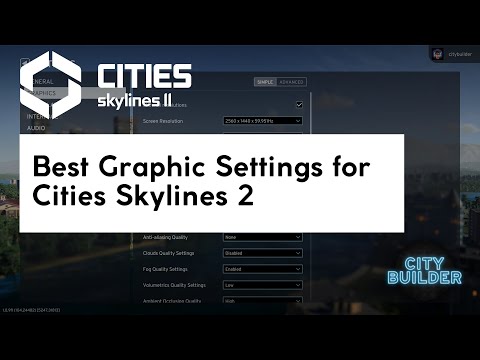
After the first Cities: Skylines II patch, the game ran fluidly in 4K with most settings on high. This short update shows the energy settings that give the game more performance budget, the changed graphics options and the switch to 4K in windowed mode instead of UHD.
Graphics settings needed a second look two days after the launch-week guide. The first patch for Cities: Skylines II made the game run fluidly in 4K with most settings on high or maximum on my system, which was a big change from launch. This short update covers what changed.
What changed
- Energy settings (1:33), changed to allow a higher budget. The video shows exactly which settings and values.
- Updated graphics options (2:08). Several settings that had to go down at launch could go back up.
- 4K in windowed mode. After the update the game ran in 4K windowed mode instead of UHD, which is handy for recording and for a second monitor.
Why patches matter so much
City builders lean heavily on the CPU for the simulation and on the GPU for drawing thousands of buildings, vehicles and trees. A patch that makes either side cheaper changes which settings your PC can afford, so the same machine can suddenly run higher settings than the week before.
How to re-check your settings after an update
- Reset to a preset that matches your graphics card, so old workarounds don’t stick around.
- Load your biggest save, not a new map.
- Raise the expensive effects one by one: global illumination, volumetrics, shadows, level of detail. Stop when panning across downtown starts to stutter.
- Check at high simulation speed too, where the CPU becomes the limit.
Still worth checking
Performance has changed with almost every patch since. Use these settings as a starting point, test in a busy city and adjust from there. The original guide explains which settings usually cost the most.
My closing advice from the video
Give Cities: Skylines II a chance to get better (4:05). The launch was rough, and this first patch already showed how much updates could change.
Video chapters
- 0:00Intro
- 1:33Energy settings (for a higher budget)
- 2:08Updated graphics options
- 3:26Outro
- 4:05Give Cities: Skylines II a chance to get better
Clicking a chapter starts the video above at that point.
Related videos
FAQ
Did the first patch improve Cities: Skylines II performance?
Noticeably. After the update the game ran fluidly in 4K with most settings on high or maximum on the test system.
Can I play Cities: Skylines II in 4K windowed mode?
After the update, yes — the video switches to 4K in windowed mode instead of UHD.
Should I change my settings after every Cities: Skylines II patch?
It's worth a quick check after major patches. Reset to a preset, load your biggest save and raise the expensive effects one by one.