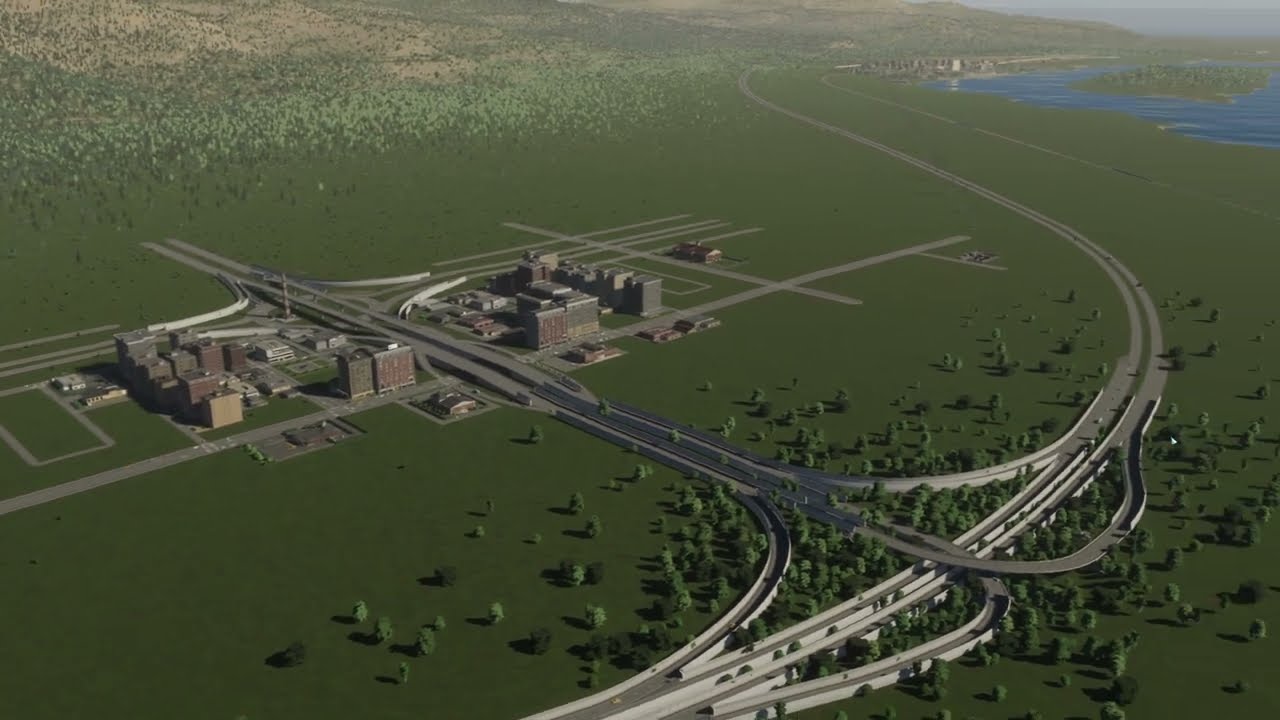
The seaside town gets its finishing touches — a river fixed with a water tool, roadside trees to stop street parking, boulders, a terrain berm between homes and new industry, forest industry — and then the real project begins: 16 new tiles, a grid for a future downtown and a highway interchange rebuilt several times until it works.
What happens in this episode
Episode 6 of Shiroku is a turning point. The first half finishes the seaside town; the second half starts the metropolis that the rest of the series builds towards.
How it was built
Fixing the river
A viewer pointed out that my river no longer reached the sea, and I had completely missed it. With the Water Tools mod, a river source now makes it flow down to the coast again. A sand surface patch is filled in with Anarchy.
Trees instead of street parking
There was no no-parking option yet, so the only way to stop people parking along the road was roadside trees. That keeps traffic flowing at rush hour and pushes drivers into the parking lots, where they pay. More trees hide unpleasant views and the sound barriers along the small highway. I used a smaller tree brush without Anarchy, because Anarchy put trees on the tracks.
Boulders and a berm
Large boulders (the only big rocks available then) stack well into a rough edge between the beach sand and the rest of the town and form a sheltered natural pool for kids. For a new small industrial area, a natural berm goes up first: the shift terrain tool at brush size 40 with low strength, then the level tool to match the road height, then smoothing, trees and bushes. It hides the industry from the homes. Saving often became a habit after the four or five crashes of the last episode.
Forest industry and a tram depot
The forest next to town is extended into a forest industry area. The small industries don’t have chimneys, which may be a nice change in the game. A tram depot goes in, but trams need larger roads than this town has, so it’s switched off and saved for the big city. The old industry close to the homes is finally removed, and some offices meet demand.
A new city on 16 tiles
The town earns good money, so it’s time to expand, not to the islands yet, but onto 16 new tiles next to Shiroku. The plan: a grid for the main roads, a big downtown with skyscrapers at the central crossing, and above all a proper highway connection.
An interchange, attempt after attempt
The first interchange didn’t serve all directions. A cloverleaf, a roundabout in the middle, tunnels or a highway on top: I tried them all and deleted most of them. In the end, every driver who wants to leave the highway has a way off. Traffic lights and pedestrian crossings are removed so traffic flows freely, the lane maths gets sorted, and helper roads are used to measure angles (the centre of the new main road sits at 248) and deleted afterwards. I didn’t level the terrain first because I wanted to keep the natural landscape. In hindsight that made the build harder, and the Move It and Better Bulldozer tools struggled with some nodes. The highway ends up raised about ten metres so the city grid can run underneath.
The landscaping around the interchange is smoothed with smaller brushes, then trees and random boulders are added. The new city gets power through a transformer station, a provisional wastewater plant and its first office and commercial zones. Sound barriers stay on the main highway but not on the ramps. Residential tax drops to 12%, and the city earns around 31k per month, a solid head start for the metropolis.
Video chapters
- 00:00A viewer fix: the river flows again
- 04:24Trees to stop roadside parking
- 08:33Boulders and a terrain berm
- 18:15Forest industry and a tram depot
- 26:3516 tiles for a new city
- 33:28First interchange attempt
- 43:44Rebuilding until every exit works
- 57:51Landscaping the interchange
- 66:42Lifting the highway, power for the new city
Clicking a chapter starts the video above at that point.
FAQ
How do you stop cars parking on the street in Cities: Skylines 2?
At the time there was no no-parking option, so I added roadside trees — they remove the street parking spaces and push drivers into parking lots, where they pay.
How do you separate homes from an industrial area?
A terrain berm: raise a ridge with the shift terrain tool at a small brush size, smooth it with the level tool, then plant trees and bushes on top. It hides the industry and looks natural.
Why rebuild a highway interchange several times?
Because every direction has to work — anyone who wants to leave the highway needs a way off. My first layout didn't serve all directions, so I rebuilt it, removed the traffic lights and pedestrian crossings, and fixed the lane maths until traffic could flow freely.