The Xbox store briefly showed in-game Cities: Skylines II screenshots in June 2023. The graphics look far less cartoony, but I cared more about the numbers: how many households a building holds, a new pink zone colour, a reduced UI with age statistics, junctions on three levels with clean lane markings, small roundabouts, seasons with temperature, and a counter that might mean 173 tiles.
Again, Microsoft and its Xbox store did us a favour: for a few hours, a landing page showed in-game screenshots of Cities: Skylines II. The internet hardly ever forgets, so here’s my personal first look. I’m not the first to share them, but I wanted to say what I was really looking for.
Less cartoony, but that’s not my priority
The close-up of a street is far more detailed. You almost feel you can look into the flats and offices. The afternoon fog and atmosphere look much more natural, and the night shot is beautiful. Street signs appear, and the traffic lights looked European to me: in Europe you sometimes have to crane your neck to see the lights, while in North America they hang across the junction.
But the textures aren’t what I’m curious about. I want to know how many households a building holds. One block had about seven storeys with at least eight flats each. With one and a half people per flat, that’s around 84 residents. If the numbers are realistic, that matters far more to me than reflections on the water.
The UI
It’s different, but not too different. It’s more reduced, which I prefer, and the selected info view greys out everything else. There’s a population screen split into children, teens, adults and seniors. The zoning menu has a new colour, and the district tool looks like you place points instead of painting.
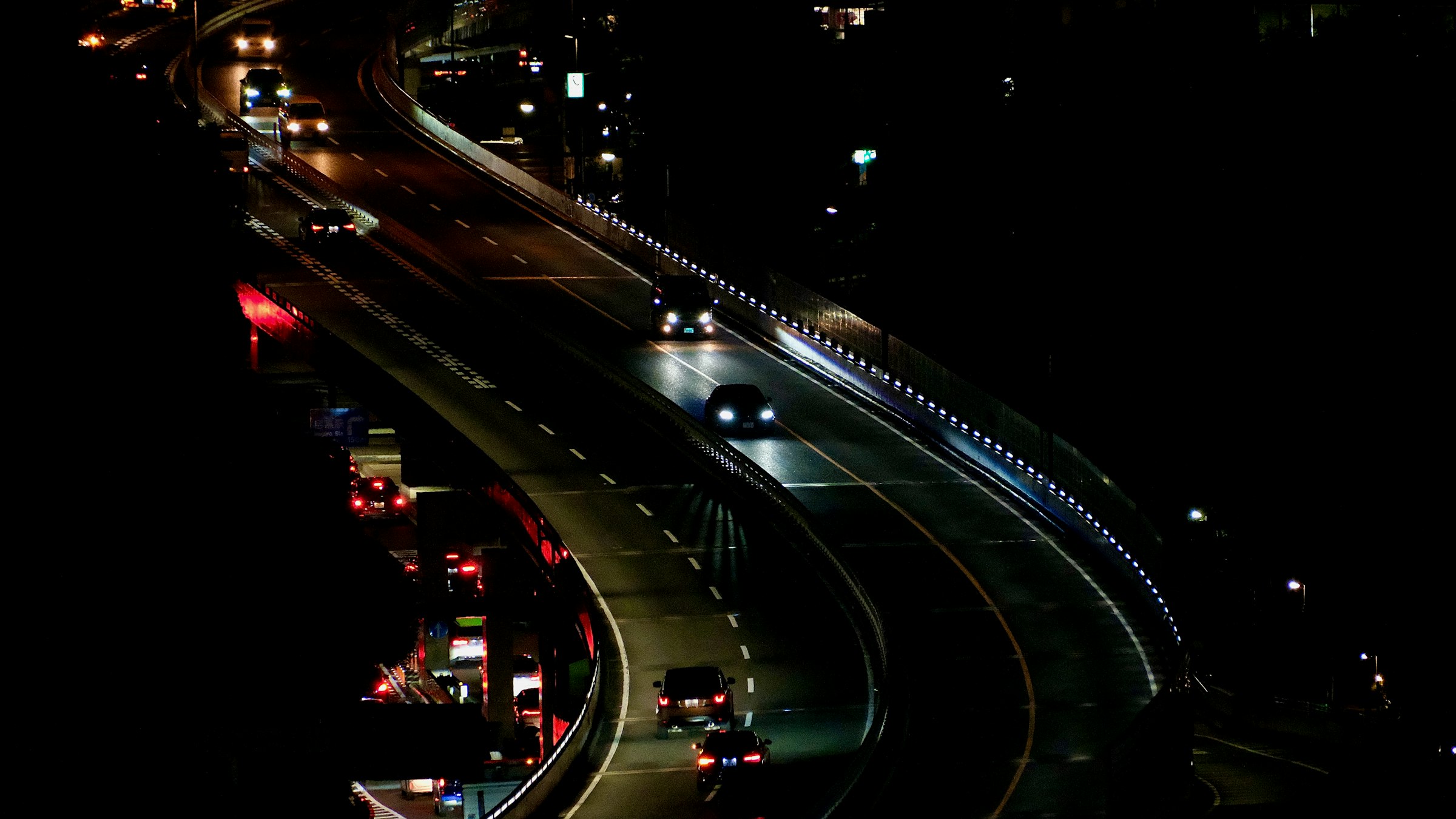
My favourite screenshot: the junction
A bird’s-eye view of highways, ramps and crossings, and here I got really excited:
- an on-ramp flowing smoothly into an arterial road;
- a pedestrian overpass and real bridges instead of slopes on embankments;
- clean lane markings and speed indicators;
- at least three levels: a tunnel, ground level and a bridge that stays a bridge as the train line passes below.
The small roundabouts look much better than in CS1. A rail crossing does too, and I’m not normally a big train fan in Cities: Skylines.
Seasons and tiles
The UI showed spring, 20 °C. Seasons seem to change during play, so you no longer have to pick a winter map at the start. The demand bar looked more detailed, perhaps split by low, medium and high density. And a number, 173, might be a tile count. If tiles are as big as in CS1, I know my first project: Tokyo.
Remember these were Xbox screenshots. I hoped the PC version would look a little less cartoony still. A few days later the official gameplay trailer arrived. Here’s my review of it.
FAQ
Where did the first Cities: Skylines II screenshots come from?
An Xbox store landing page published them for a few hours in early June 2023. They were saved on the Wayback Machine and discussed on Reddit.
Did the screenshots show seasons?
Yes. The UI showed 'spring' with 20 °C, which suggested the season changes during play instead of choosing a winter map at the start.
What did the road screenshot show?
A junction on at least three levels: a tunnel, ground level and bridges, plus clean lane markings, a pedestrian overpass and small roundabouts.